Special Shaders
Snow Coverage shader
A procedural snow layer for a PBR surface
This shader allows you to add a layer of snow to a base surface, with various masking controls and a separate Tessellated version that adds vertex displacement for adding 3D snow piles
Mesh Requirements
When using the Tessellated varion of this shader - it is recomended to use a fairly uniformly subdivided base mesh for better final results
Snow Coverage Demo
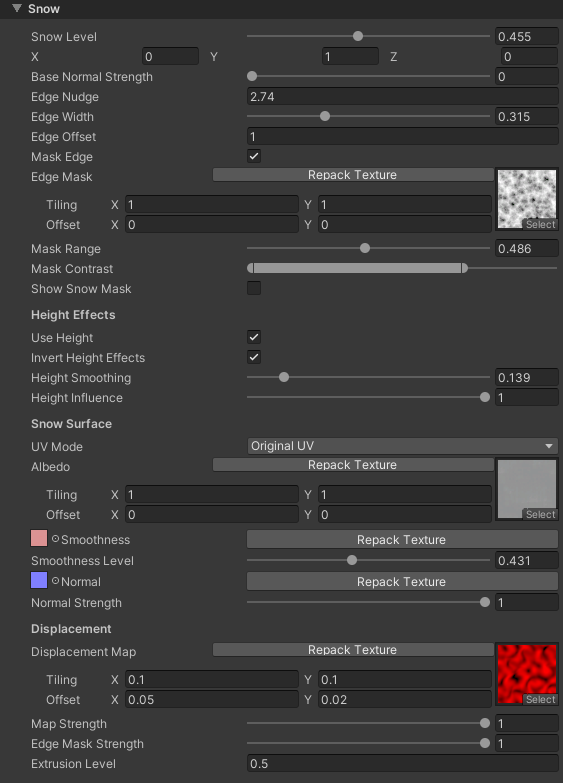 Snow Coverage Inspector
Main Settings
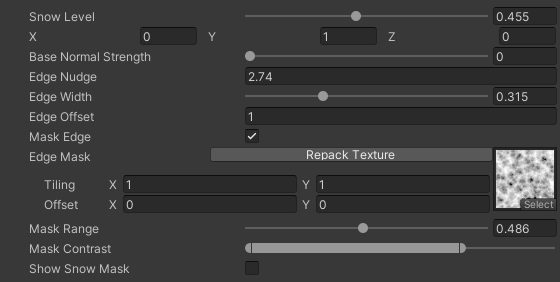 Main Settings
- Snow Level: Controls the level of snow coverage
- Snow Direction: Controls the world-space direction of where the snow is coming from. E.g. (0,1,0) will create a snow coverage from above (default value)
- Base Normal Strength: Controls how much the base layer Normal map affects the snow coverage
- Edge Nudge: Adjusts the edge of the snow coverage
- Edge Width: Adjusts the width of the edge blend gradient for the snow coverage
- Edge Offset: Flat coverage offset, higher numbers allow to coat the whole mesh in snow
- Mask Edge: Enables additional masking of the snow coverage edge
- Edge Mask: Additional mask that will be applied to the edge of the snow coverage. Useful for adding variation and breaking up a perfect coverage edge. Only visible if Mask Edge is enabled
- Mask Range: Adjusts how much of the snow coverage edge will be affected by the snow edge mask. Lower values make the final edge sharper
- Mask Contrast: Adjusts the values of the snow coverage mask texture. Setting to minimum will eliminate the mask completely. Setting to full width will multiply the base gradient by the mask texture
- Show Snow Mask: Enables debug visualization for the snow level
Height Effects Settings
 Height Settings
Only Available if Parallax is on
This section only appears if you have Parallax enabled and the Height texture specified in the base material.
- Use Height: Enables height-based effects for improved blending
- Invert Height Effects: Inverts the height effects. Enabling this will change whether the snow will accumulate on the height map peaks or in the valleys first
- Height Smoothing: Smooths out the height map effects. Higher values will allow the snow to cover more of the surface
- Height Influence: Controls the overall strength of the height effects. At 0 the height will be ignored, as if "Use Height" is off
Snow Surface Settings
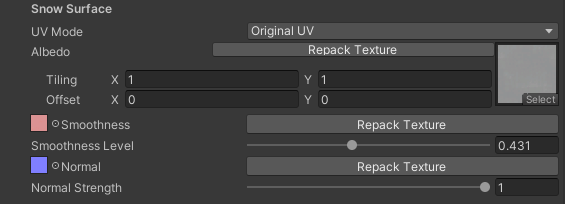 Snow Surface Settings
- UV Mode: Controls how snow texture UVs are calculated
- Original UV: Uses the mesh's main UV channel
- Triplanar: Performs triplanar projection. This is more expensive as it triples all the texture samples. Use Original UV when possible
- Triplanar Blend: Controls the triplanar blend between different world axis
- Triplanar Power: Controls the sharpness of the triplanar blend edge between different world axis
The following are the usual PBR material settings
- Albedo
- Smoothness
- Smoothness Level
- Normal
- Normal Strength
Glitter Settings
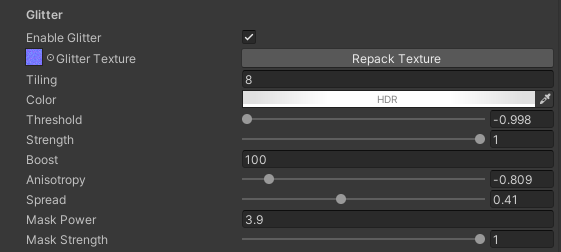 Glitter Settings
- Enable Glitter: Turns on snow glitter effects
- Glitter Texture: A glitter noise map. Preferably a normal map (Red + Green noise texture)
- Tiling: Tiling amount for the noise map
- Color: Controls glitter sparkle tint color
- Threshold: Controls how much glitter is visible
- Strength: Controls the overall strength of the glitter
- Boost: Additionally boosts the glitter effect beyond 0-1 range
- Anisotropy: Controls the anisotropic highlight direction for the glitter effect. Effectively spreads the glitter horizontally or vertically across the surface
- Spread: Controls how wide the glitter highliught is
- Mask Power: Controls the sharpness of the rim-based masking. Values below and above 0 will rim mask in different directions
- Mask Strength: Controls how much the rim mask affects the glitter highlights
- Distance Fade: Controls the distance fade effect of glitter highlights
- Set Start and End to 0 to disable the effect
Rim Light Settings
 Rim Settings
- Color: Controls the tint of a rim light effect
- Power: Controls the spread of the rim light effect
Displacement Settings
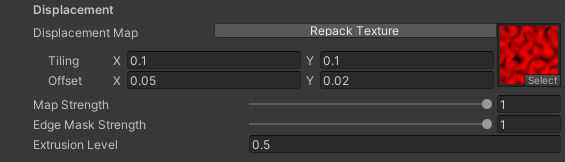 Snow Settings
Only Available in the Tessellated version
These options are only provided in the Snow Coverage Tessellated version of this shader.
- Displacement Map: A texture to adjust where snow piles show up on the mesh. This uses world-space XZ coordinates to map to the surface
- Map Strength: Controls how much the Displacement Map affects the overall snow pile distribution. At 0 this will create snow coverage that perfectly copies the surfaces below it
- Edge Mask Strength: Controls how much the Snow Edge Mask affects the snow piles displacement effects. Mainly for fine tuning and avoiding jagged edges coming from high frequency noise masks
- Extrusion Level: Controls how much the surface will be displaced along the Snow Direction